Skip to content

Automate your strategies and manage your trades against one account. Or, all of them.

Working orders, open positions and a manual order ticket all on one screen so you can manage your live trades in one spot.

Current support for Tradovate and NinjaTrader. Futures only. Rithmic, ProjectX and other integration support coming soon.

One screen, all day

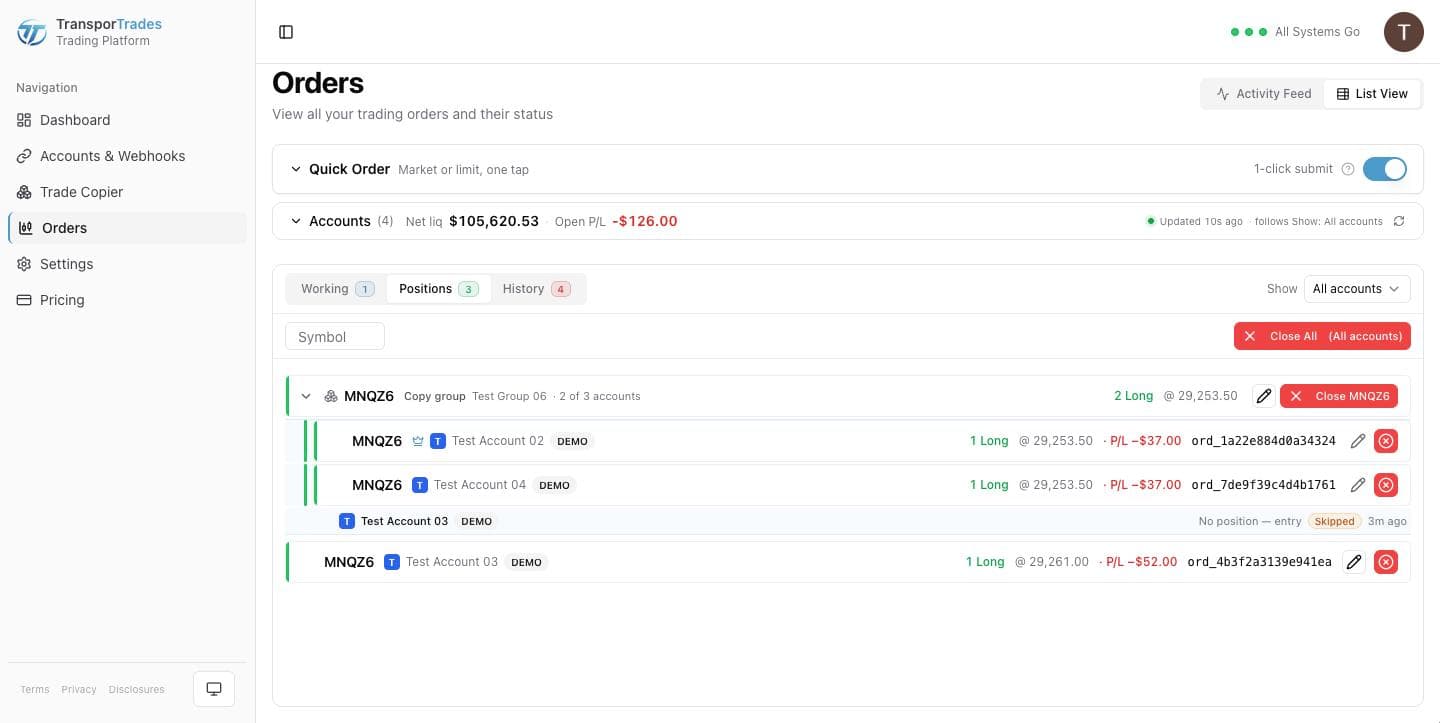
Orders is where you'll spend your day. Working orders and open positions are tabs on the same page, the Activity Feed runs alongside them, and the Quick Order ticket sits at the top so you can place a trade without leaving.
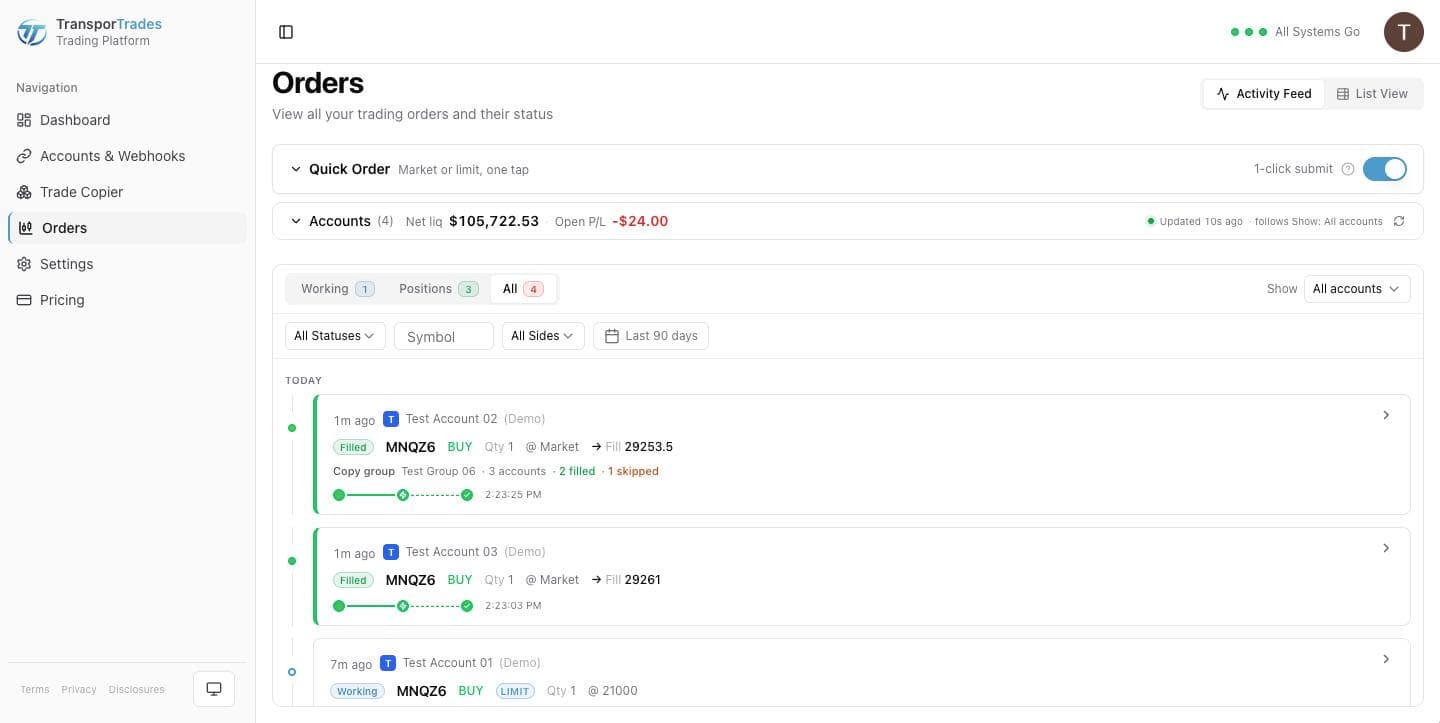
Orders screen with working orders and positions as tabs, the Activity Feed alongside, and the Quick Order ticket at the top

Meaningful order statuses

Your orders don't end in a green check or a red X. They end in one of ten statuses that tell you what actually happened, in a color that tells you whether it needs you: Filled, Flattened, Cancelled, Rejected, Failed, Dismissed, Skipped, No position, Unknown symbol, Not sent.
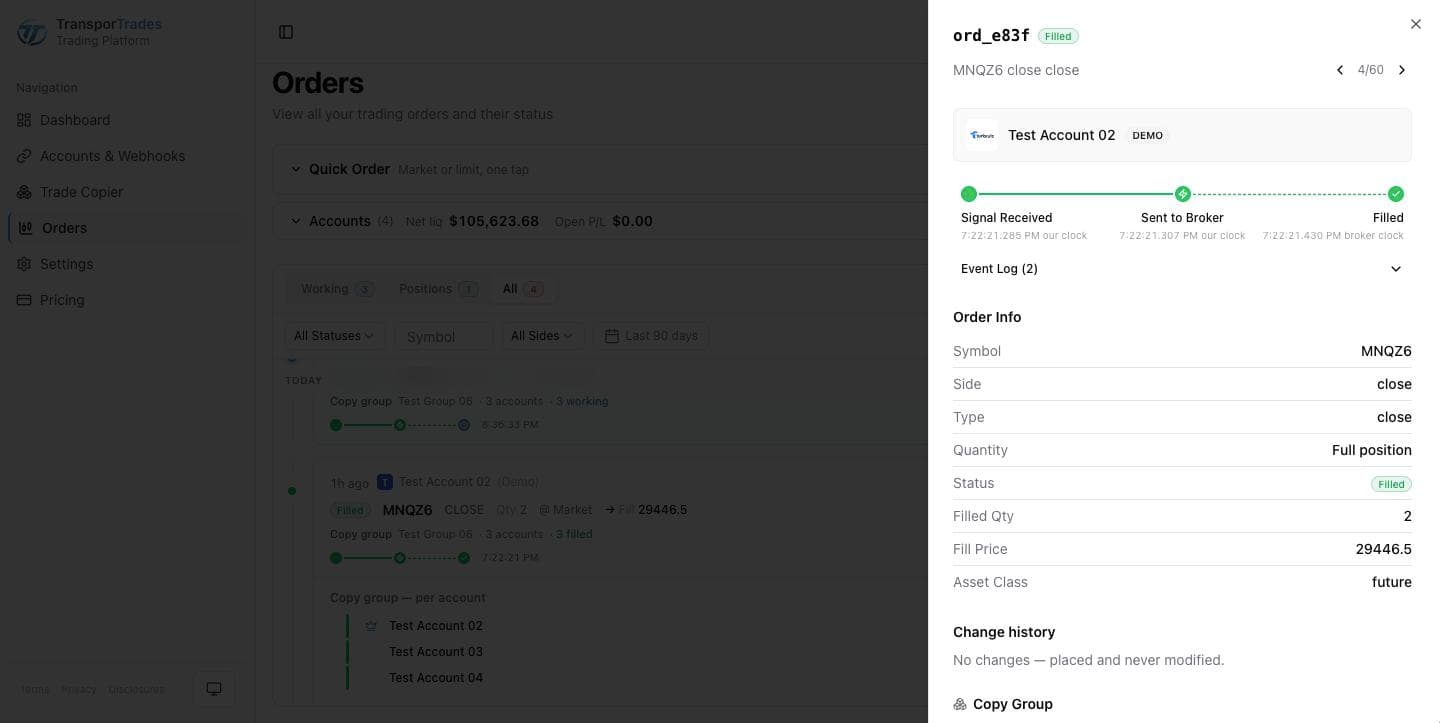
An order detail panel for a Filled order: the status chip, and a three-step timeline with Signal Received and Sent to Broker on our clock and Filled on the broker's clock

One account, or all of them

The Leader fires, Followers copy — one signal, every account.

Pick one of your connected accounts as the Leader. Every signal that reaches its webhook is copied to the whole group in the same burst, across different brokerages and different logins. One Leader, up to nine Followers.

Learn more about the Trade Copier
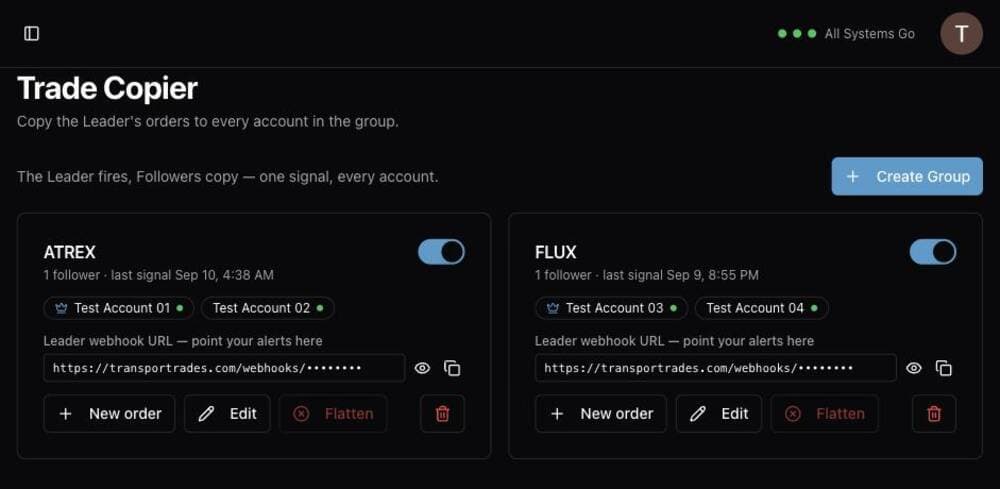
Trade Copier page with two copy groups, their Leader and Follower accounts, and the group actions

Manage orders and positions

Change quantities, add or remove protective legs, adjust entry and exit prices, and cancel or close using familiar and intuitive controls.

Learn more about manual controls
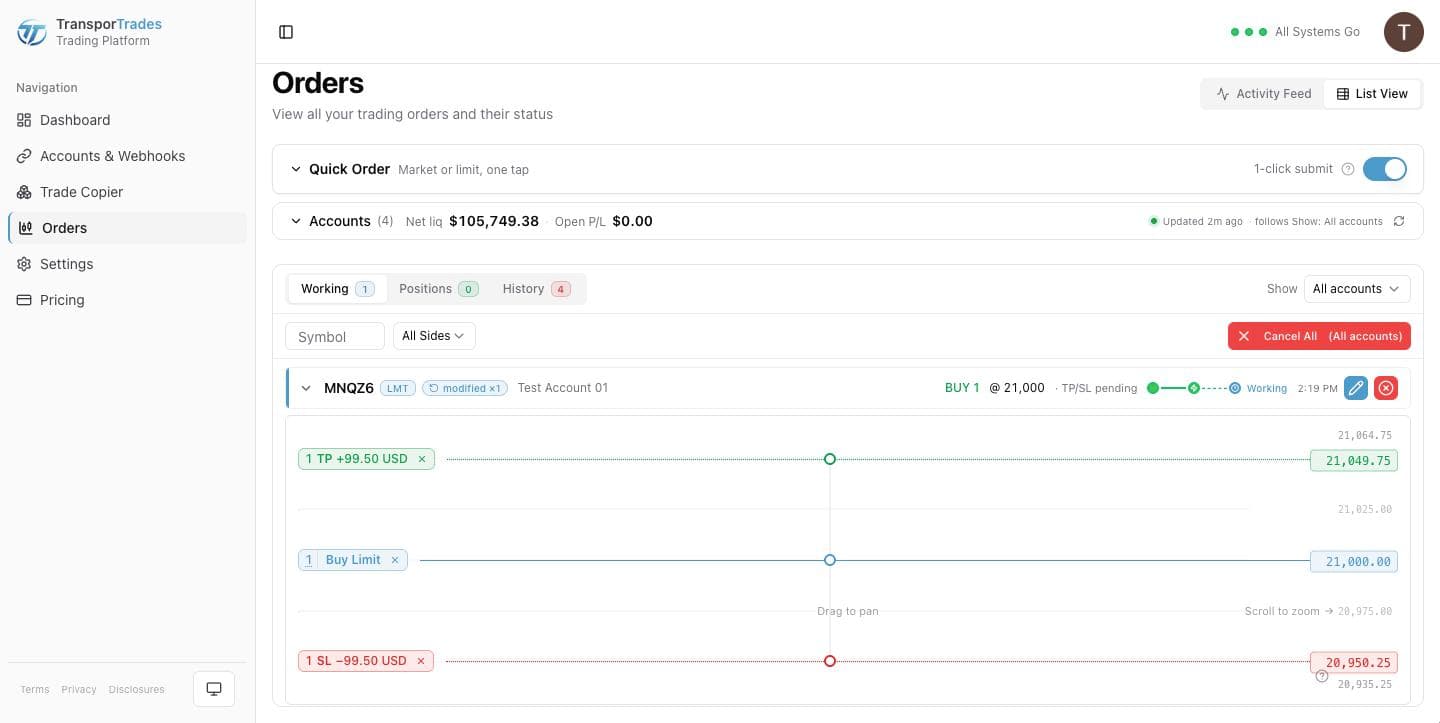
The ladder open on a working order, with take profit and stop loss legs shown
Positions across a group, expanded to per-account rows

Get up and running in three steps

  1. Connect your broker account(s).

    Link your broker account so orders can be routed.

  2. Enable your webhook.

    Each connected account gets its own unique webhook URL that receives your signals.

  3. Configure your signal source.

    Copy the webhook URL into TradingView, TrendSpider or whatever you use.

TradingView is where most of those signals start — see how TradingView automation works.

See how it works

Where we are

45,000+signals processed

Questions

Tradovate and NinjaTrader brokerage accounts. Futures only. Rithmic, ProjectX and other integration support is coming.

Your own Tradovate demo account, yes. For an evaluation or funded account, we can reach it if your prop firm is in the Tradovate list on our Prop Firms page, apart from one exception named on that page. Your firm decides whether to let a third-party app like TransporTrades connect to it. Check with your firm before you start a trial. Check your firm's rules on copiers before you build a group.

One Leader and up to nine Followers.

Yes. The Quick Order ticket lets you manually trade against individual accounts as well as Trade Copier groups, giving you full flexibility.

Yes, all order types are fully supported by the manual trading controls.

Try it for free

Use the platform for 7 days completely free of charge, no credit card required.

* Routing only. Order acceptance, execution, and fill outcomes are determined by your broker, exchange, market conditions, and other factors outside our control.

NinjaTrader® is a registered trademark of NinjaTrader Group, LLC. TradingView is a trademark of TradingView, Inc. Tradovate is a trademark of Tradovate, LLC. TransporTrades is not affiliated with, endorsed by, or sponsored by any of these companies. See our full Third-Party Trademarks.

Risk disclosure: Futures and forex trading contains substantial risk and is not for every investor. An investor could potentially lose all or more than the initial investment. Risk capital is money that can be lost without jeopardizing one's financial security or lifestyle. Only risk capital should be used for trading and only those with sufficient risk capital should consider trading. Past performance is not necessarily indicative of future results. Read our full Disclosures.

TransporTrades is an order-routing technology provider. We transmit user-configured instructions to your authenticated broker account. We are not a registered investment adviser, broker-dealer, or futures commission merchant. We do not provide investment advice, research, analysis, or trade signals.

CFTC Rule 4.41: Hypothetical or simulated performance results have certain limitations. Unlike an actual performance record, simulated results do not represent actual trading. Read our full CFTC 4.41 disclosure.

© 2026 TransporTrades

Trade automation. Simple.