
Place the same trade 10 times. All at the same time.
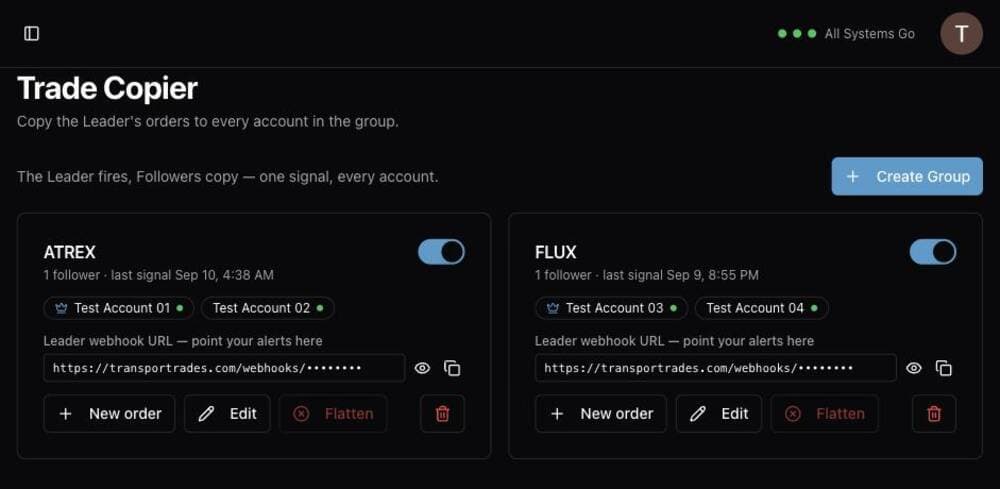
Pick one connected account as the Leader. Every signal that reaches its webhook is copied to every Follower in the group, across different brokerages and different logins. Manually place and manage trades against your copy groups as well.
One Leader, up to nine Followers.
How a Trade Copier group works
The Leader is the account whose webhook receives your signal provider's alerts. Its orders are copied to every Follower.
Followers receive an exact copy of each Leader order. They keep their own unique webhooks, so you can still trade them individually even when they're included in a group.
There's no separate group URL. The group's webhook is the Leader account's webhook — point your alerts there.
Manually trade against your groups
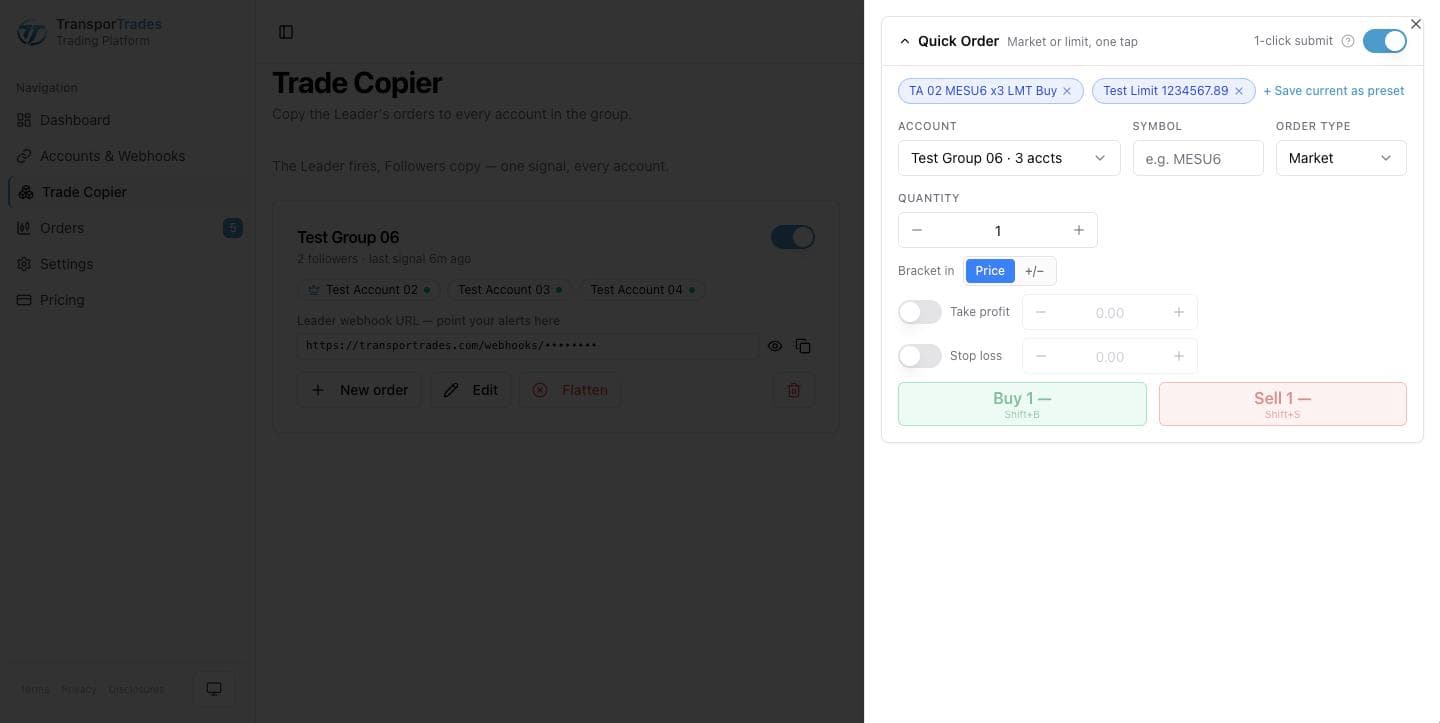
Use the New order button to open the Quick Order ticket and manually place an order for the group. The Quick Order ticket is also available on the Orders screen.
When an account can't take the trade
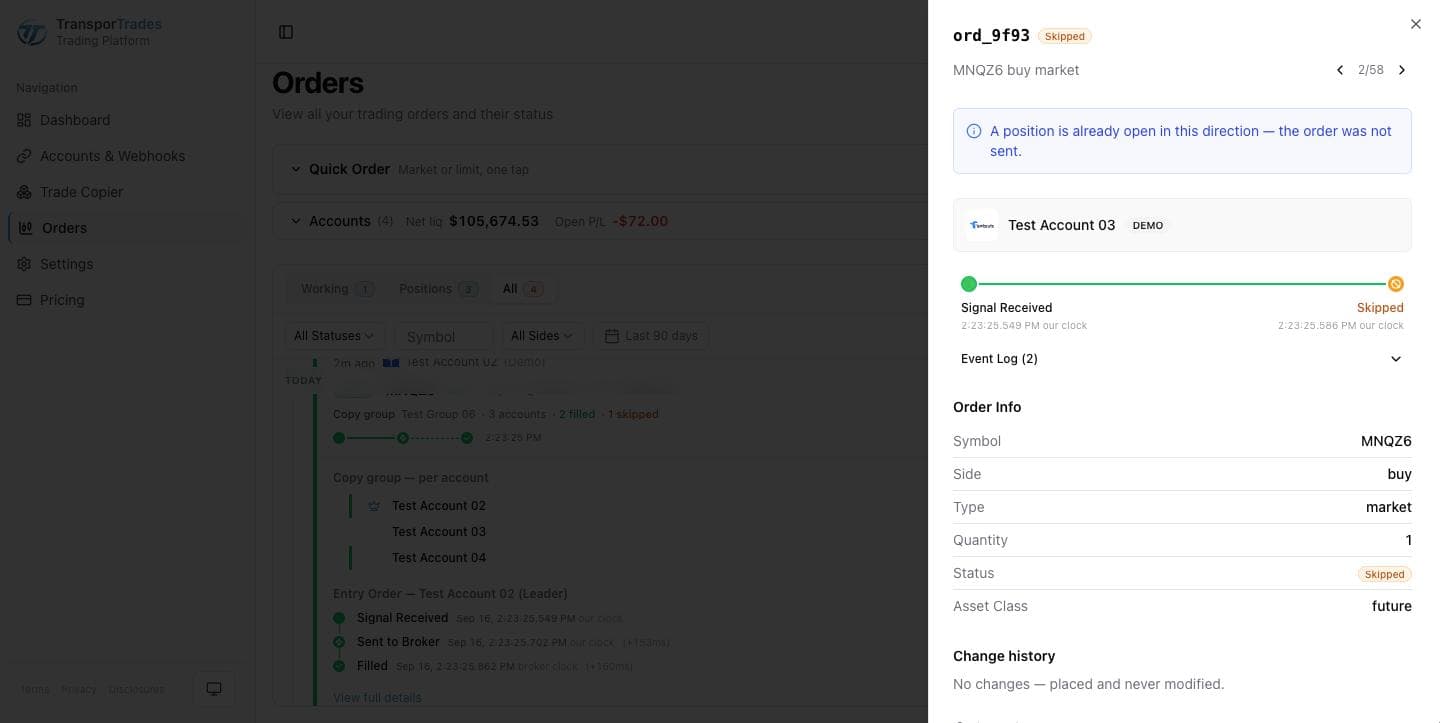
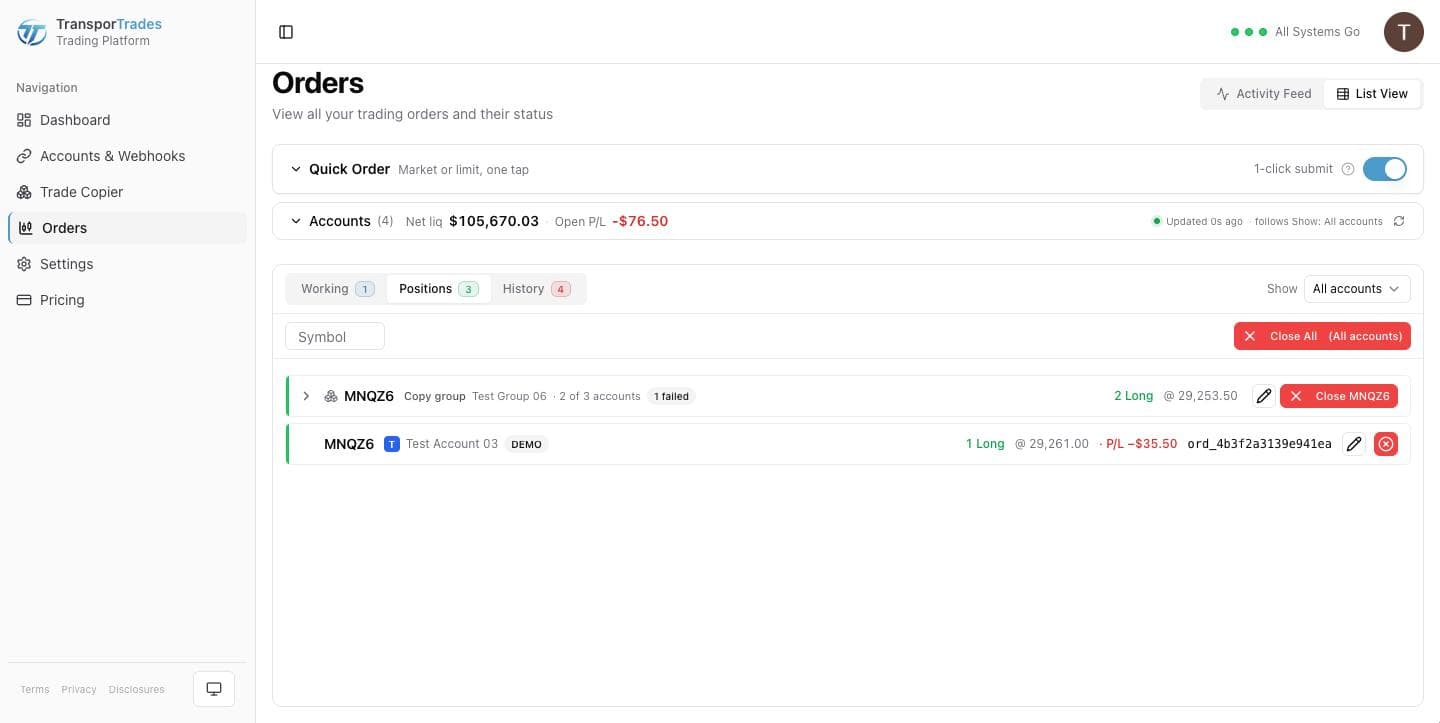
Sometimes a trade for an account will be rejected. For example, an account sitting near its risk limit may be rejected by the broker — that's your firm's cap doing its job on one account in your copy group.
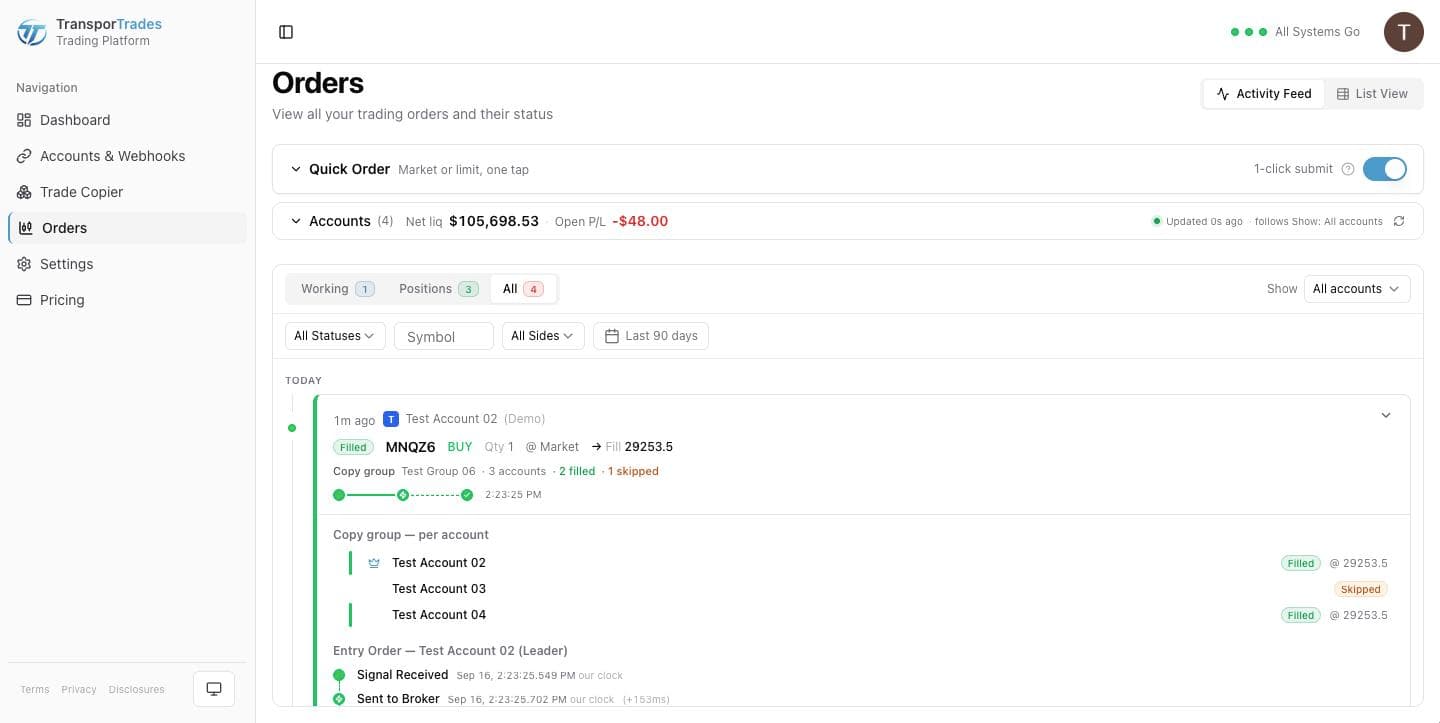
Every copied order runs the same validation as a direct signal, per account. So a group signal doesn't report one verdict — it reports verdicts for all accounts in the group.
When viewing a Trade Copier order, expand it and every account has its own entry with order details and status.
Group controls
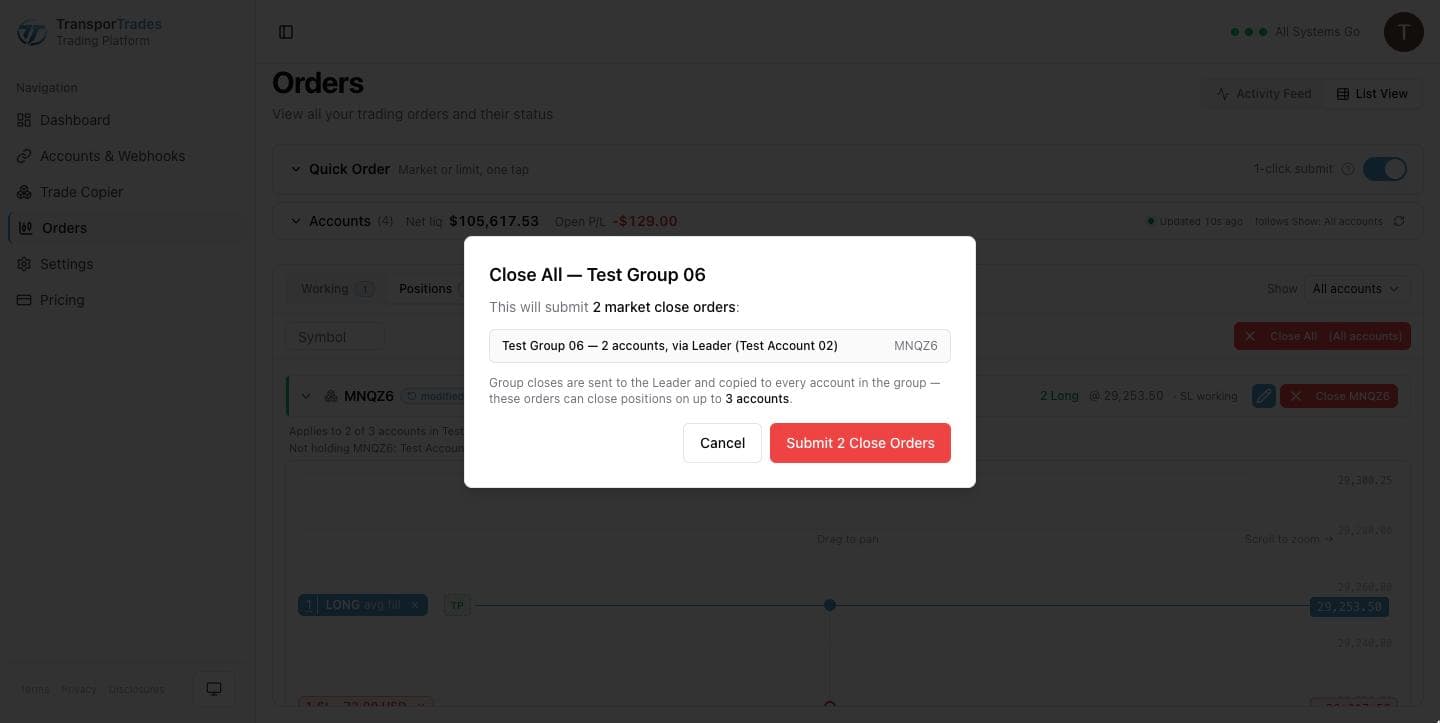
Close All submits a market close on every account holding that position. Before you confirm, the dialog names the group and the symbol, how many close orders it's about to send, and the most accounts those orders can reach. Afterwards a notification confirms all actions completed.
Flatten goes further. It liquidates every open position and cancels every working order on all accounts in the group — including positions opened outside this group's copying.
Disable stops new signals from copying. Open positions on Follower accounts stay open and remain yours to manage. Disabling never closes positions.
Before you build your first Trade Copier group...
One Leader, up to nine Followers.
The Leader can't be changed once set. To specify a different leader, simply delete the group and create a new one.
Followers keep trading their own webhooks. Signals can still be received and executed, and manual orders and trades placed, for Follower accounts even when they're part of an enabled Trade Copier group. This gives you maximum flexibility.
Are you a prop firm trader? Keep in mind that automated and copy trading rules vary by firm. Verify your firm's policies before you automate or copy trades.
See the firms we can reachQuestions
Try it for free
Use the platform for 7 days completely free of charge, no credit card required.
* Routing only. Order acceptance, execution, and fill outcomes are determined by your broker, exchange, market conditions, and other factors outside our control.
TradingView is a trademark of TradingView, Inc. Tradovate is a trademark of Tradovate, LLC. TransporTrades is not affiliated with, endorsed by, or sponsored by any of these companies. See our full Third-Party Trademarks.