
Your TradingView alerts, placing real orders
Point an alert at your account's webhook URL and the orders arrive at your broker. No VPS, no bridge app, nothing running on your machine.
Current support for Tradovate and NinjaTrader. Futures only. Rithmic, ProjectX and other integration support coming soon.
Any source that speaks webhook
TradingView is where most people start, and it's not a requirement. Connect any signal source that supports webhook alerts — TrendSpider, a Pine script, a strategy you host yourself.
The platform doesn't care what generated the alert. It cares that the payload is valid and that the account it arrived for is ready to trade.
What the alert has to carry
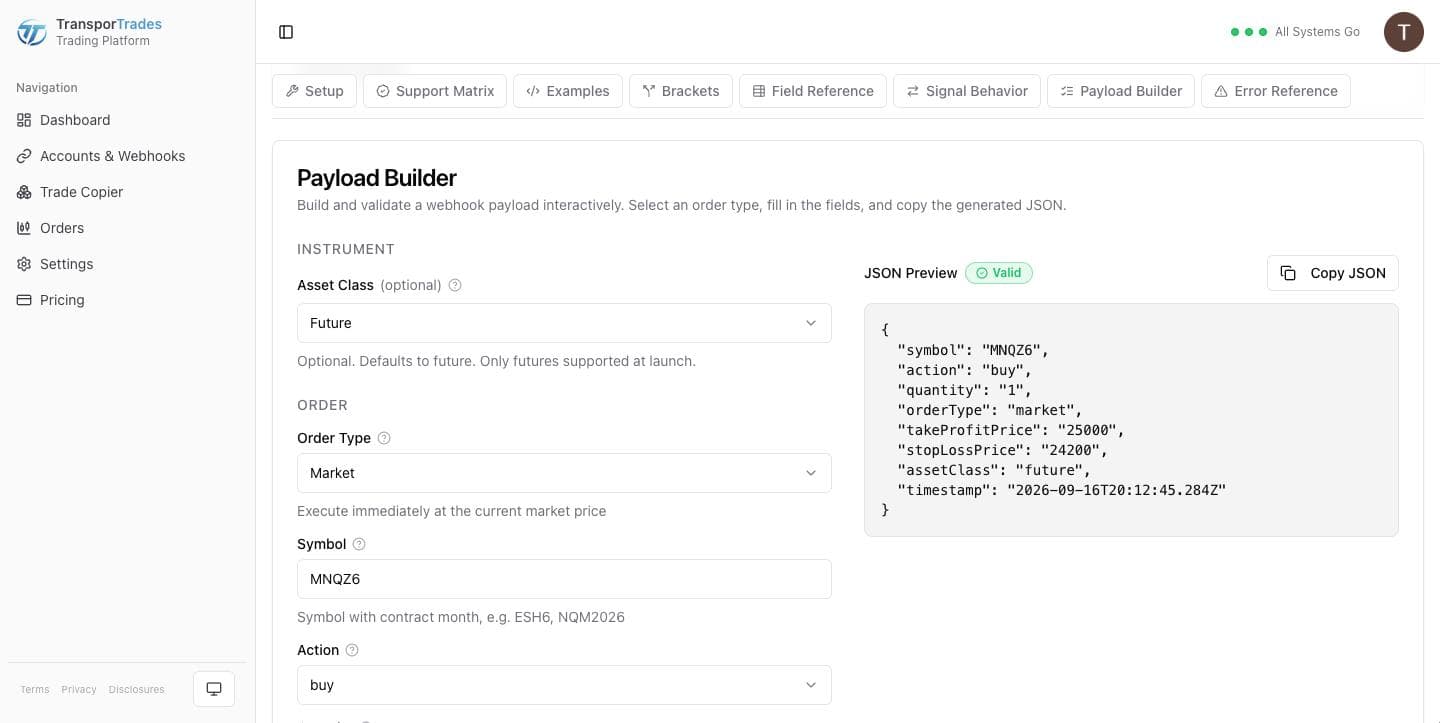
The payload is JSON in the alert's message box: symbol, side, quantity, order type, and any protection you want on the trade.
The Payload Builder writes it for you. Pick the order type, fill the fields, copy the JSON. It validates as you build, which is the difference between finding a mistake at your desk and finding it at the open.
Market, limit, stop and stop limit. Take profit and stop loss as absolute prices or as an offset from the fill, in ticks or points. Bracket orders attach both legs to the entry and cancel one when the other fills.
Automation you can watch
The reason to automate isn't to stop paying attention. It's to stop typing.
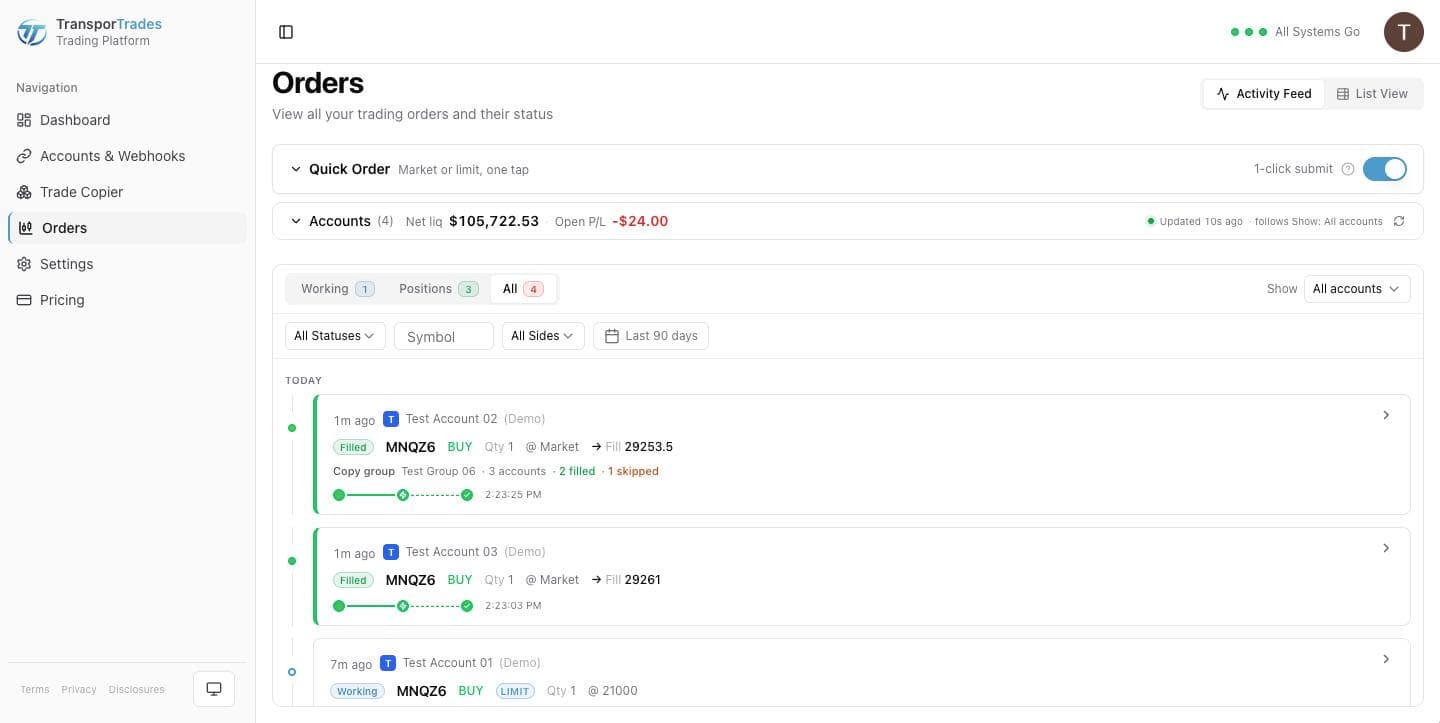
Every alert that arrives lands on the Orders screen as a row with a status, a timestamp on our clock, and a sentence saying what happened. Working orders and open positions are tabs on that same screen, and the Quick Order ticket sits above them — so when a trade needs a decision no automation is going to make for you, you make it without leaving the page.
When an alert fires wrong
The single most common reason an automated order doesn't happen is that the alert didn't carry a payload — a TradingView alert left on its default message sends plain text, and plain text isn't an order.
That row tells you exactly which it was: empty message, not valid JSON, a missing field, or the wrong shape. Repeated format errors pause the webhook rather than let a broken alert keep firing, with a notice telling you to check the message against the Payload Builder before turning it back on.
One alert, more than one account
Point your alerts at one account's webhook and that account trades. Make it the Leader of a Trade Copier group and every Follower gets an exact copy, across different brokerages and different logins. One Leader, up to nine Followers.
Learn more about the Trade CopierQuestions
Try it for free
Use the platform for 7 days completely free of charge, no credit card required.
* Routing only. Order acceptance, execution, and fill outcomes are determined by your broker, exchange, market conditions, and other factors outside our control.
NinjaTrader® is a registered trademark of NinjaTrader Group, LLC. TradingView is a trademark of TradingView, Inc. Tradovate is a trademark of Tradovate, LLC. TransporTrades is not affiliated with, endorsed by, or sponsored by any of these companies. See our full Third-Party Trademarks.